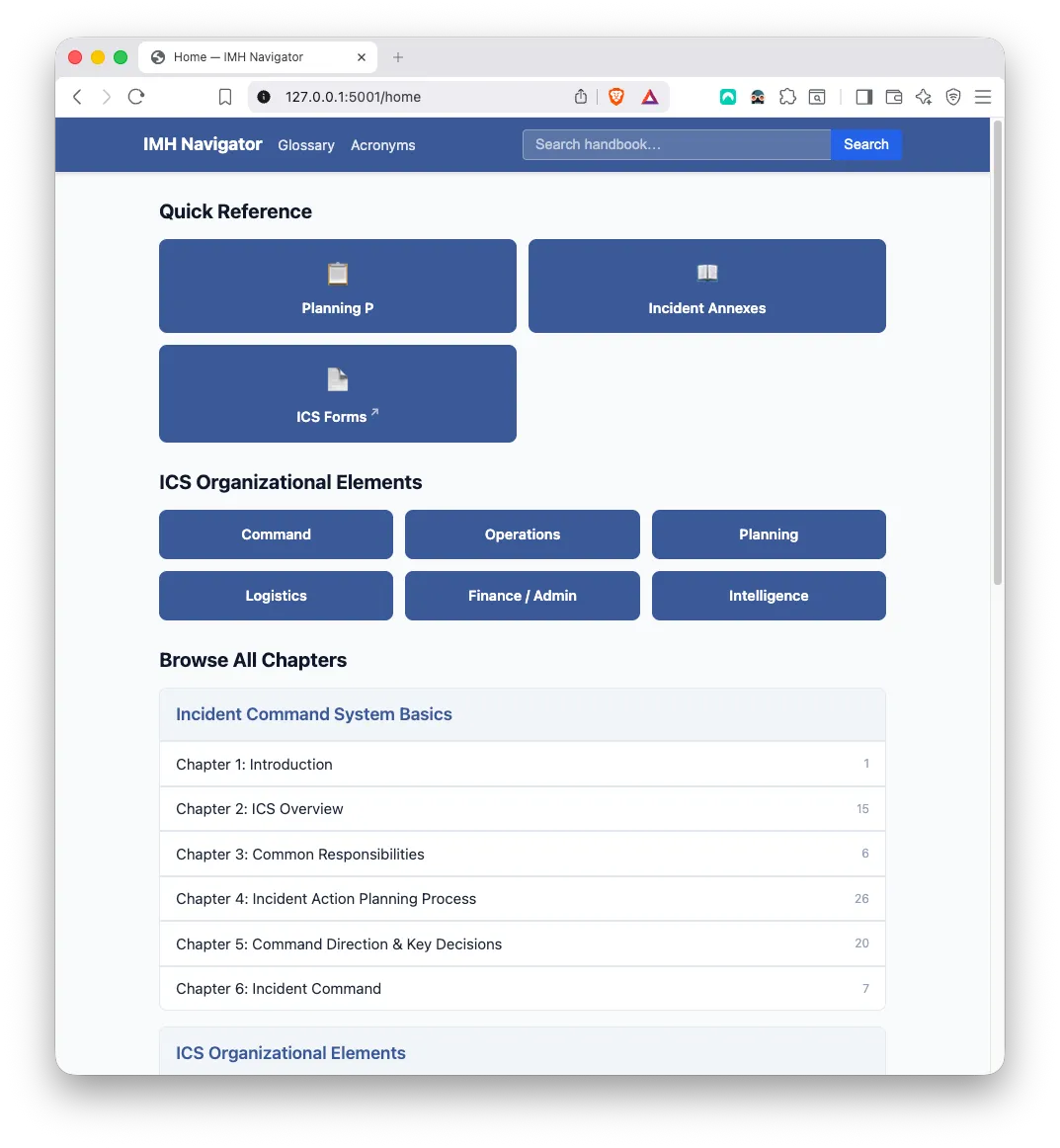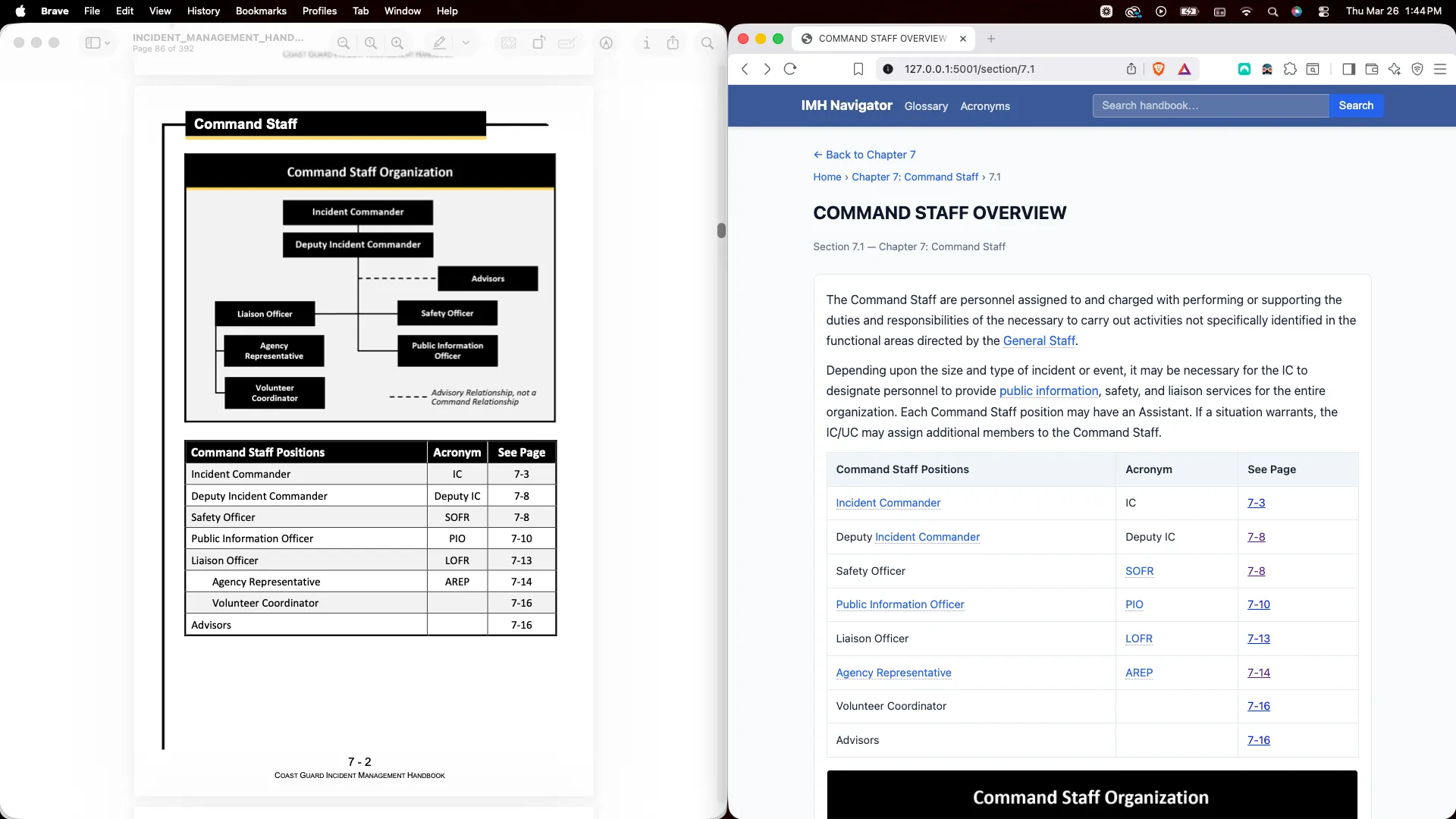
I needed to turn a 392-page U.S. Coast Guard Incident Management Handbook into a searchable database. The handbook has 24 chapters, tables with merged headers, org charts, two-column callout boxes, glossary terms with definitions, and 322 acronyms. Extracting all of that accurately from a PDF is harder than it sounds.
I started with pymupdf4llm, built a 900-line cleaning pipeline around its output, shipped a working product, and then went back to see if I could do better. I researched six tools, tested three of them on the same four chapters, and compared the results line by line.
This is what I found.
pymupdf4llm is a wrapper around PyMuPDF that outputs markdown. It’s fast (processes the full handbook in seconds), free, and requires no GPU or cloud service. I built my entire pipeline around it.
It gets you about 80% of the way. The other 20% is a cleaning pipeline that handles the artifacts: running headers that repeat on every page, page number footers, Wingdings characters rendered as invisible Unicode, bold text split across line breaks, hard-wrapped paragraphs, tables rendered twice (once as markdown, once as broken prose), and two-column layouts where the extractor interleaves both columns line by line.
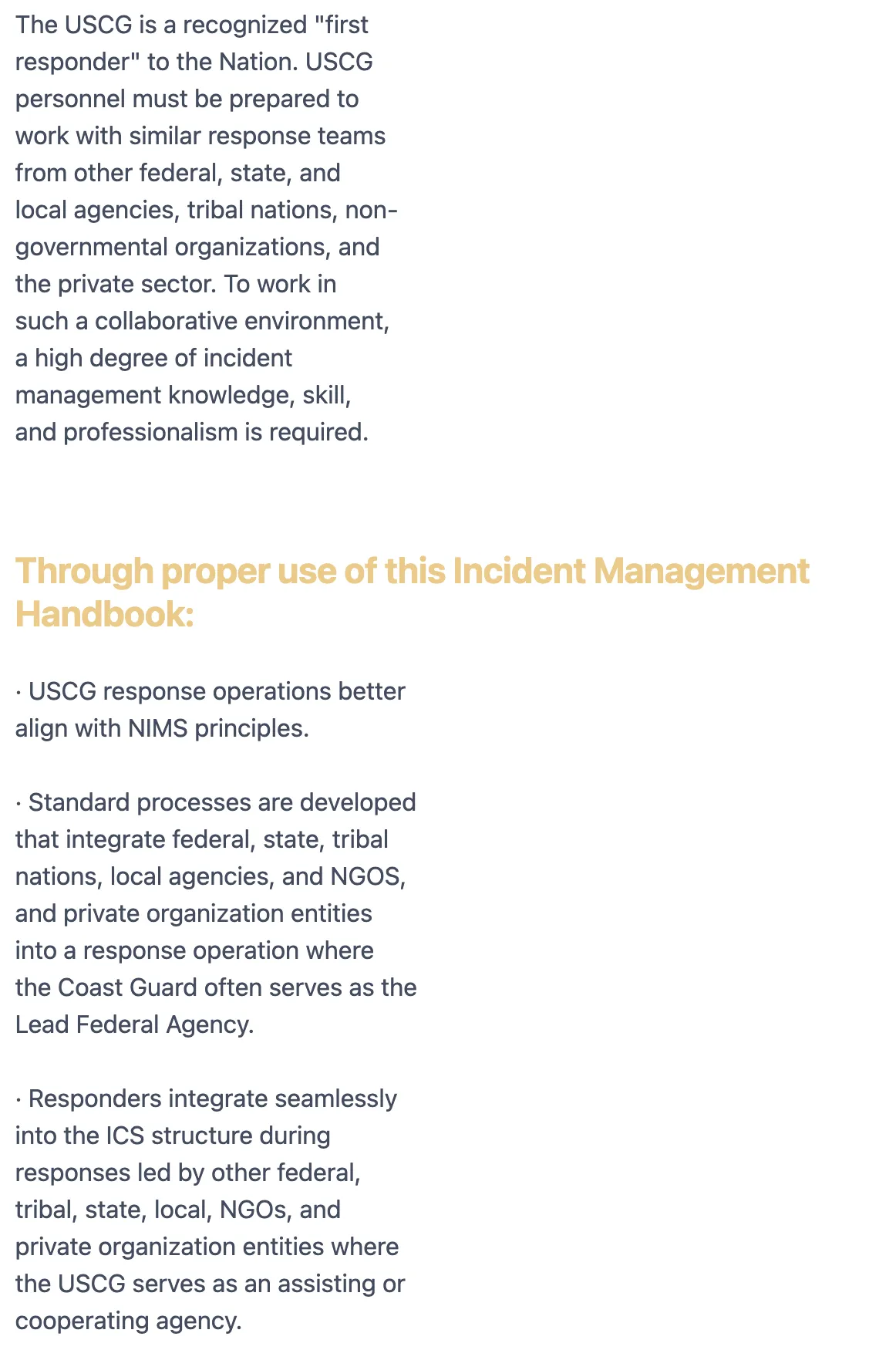
That last one is the worst. When the PDF has a sidebar next to body text, pymupdf4llm reads left-to-right across both columns, producing sentences like “The USCG is a recognized ‘first responder’ to the Nation. USCG and professionalism is required.” The columns get mixed together and no amount of post-processing can fix it because the corruption happens at extraction time.

I wrote 15+ cleaning rules, a colormap extraction step (a separate PDF pass to get font colors and sizes for heading detection), and flagged the remaining 20 lines that needed manual content overrides with their PDF page numbers. It works. But I wanted to know if a better extractor could eliminate most of that complexity.
I researched six alternatives:
Docling (IBM, MIT license) - ML-based layout detection with a dedicated table recognition model. 97.9% cell accuracy on benchmarks. Very active development.
Azure Document Intelligence (Microsoft, cloud service) - Layout model with native markdown output. Handles tables with rowspan/colspan. ~$10 per 1,000 pages.
Marker - Deep learning PDF-to-markdown. High-quality output but GPL license and nearly requires a GPU. Heading detection unreliable on government documents.
MinerU (OpenDataLab, AGPL) - Multi-model pipeline. Good on scientific papers but org chart recognition is buggy and it has no TOC extraction.
Unstructured (Apache-2.0) - Document parsing library. No native markdown output, so you’d write your own converter from its JSON element format.
PDF-Extract-Kit (OpenDataLab) - Research toolkit, not an end-to-end solution. The team themselves point you to MinerU for actual PDF conversion.
I ruled out Marker (GPL, GPU dependency), MinerU (AGPL, org chart issues), Unstructured (no markdown output), and PDF-Extract-Kit (not end-to-end). That left Docling and Azure as the two worth testing head-to-head against pymupdf4llm.
I picked four chapters that cover the range of content types in the handbook:
I ran all three tools on these chapters and compared the output line by line.
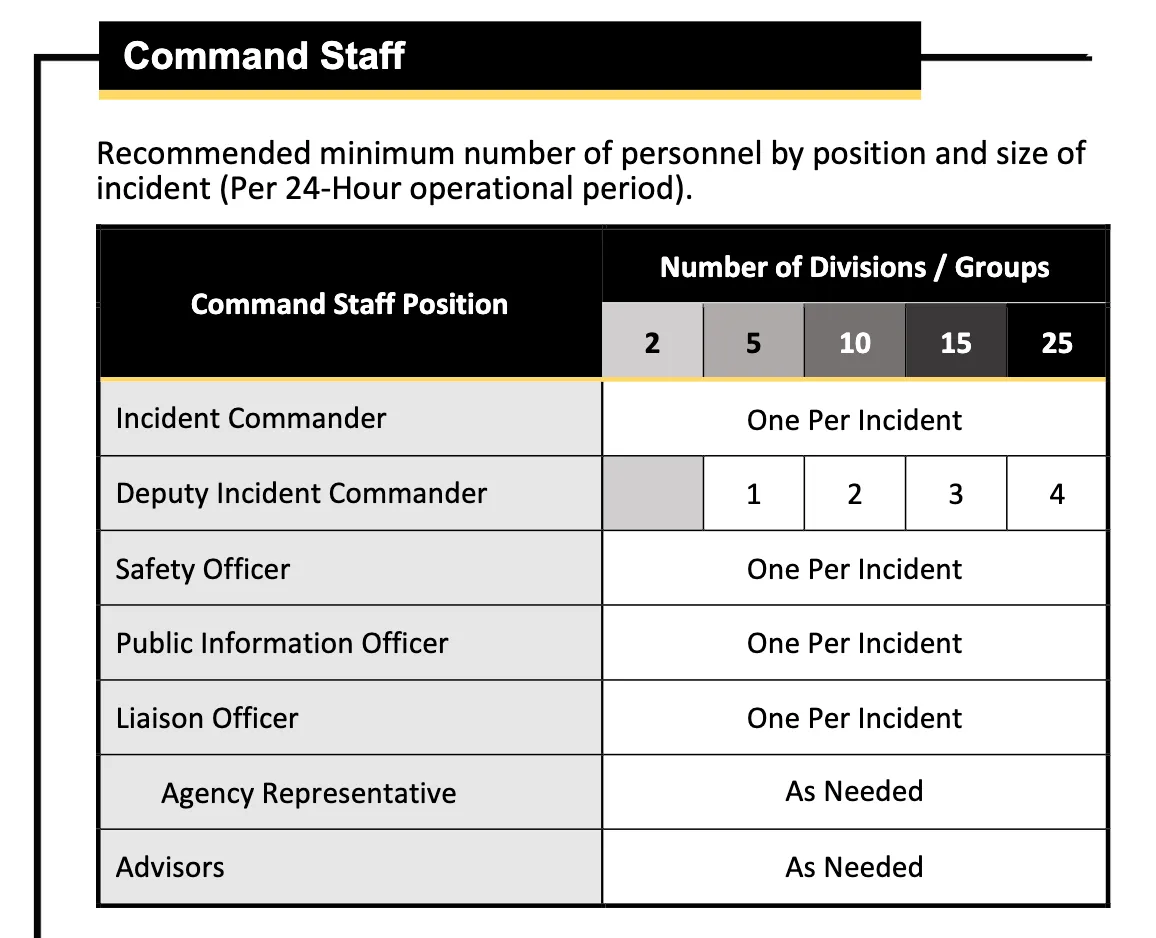
Docling’s table extraction is genuinely good. The staffing matrix that pymupdf4llm garbles (smashing the merged header into one cell) comes through with correct column alignment. Every table appears exactly once, not duplicated. And it captured a Planning-P table row (“Preparing for Planning Meeting”) that pymupdf4llm missed entirely.
But Docling has a critical flaw: it classifies some pages as images and silently drops all their text.
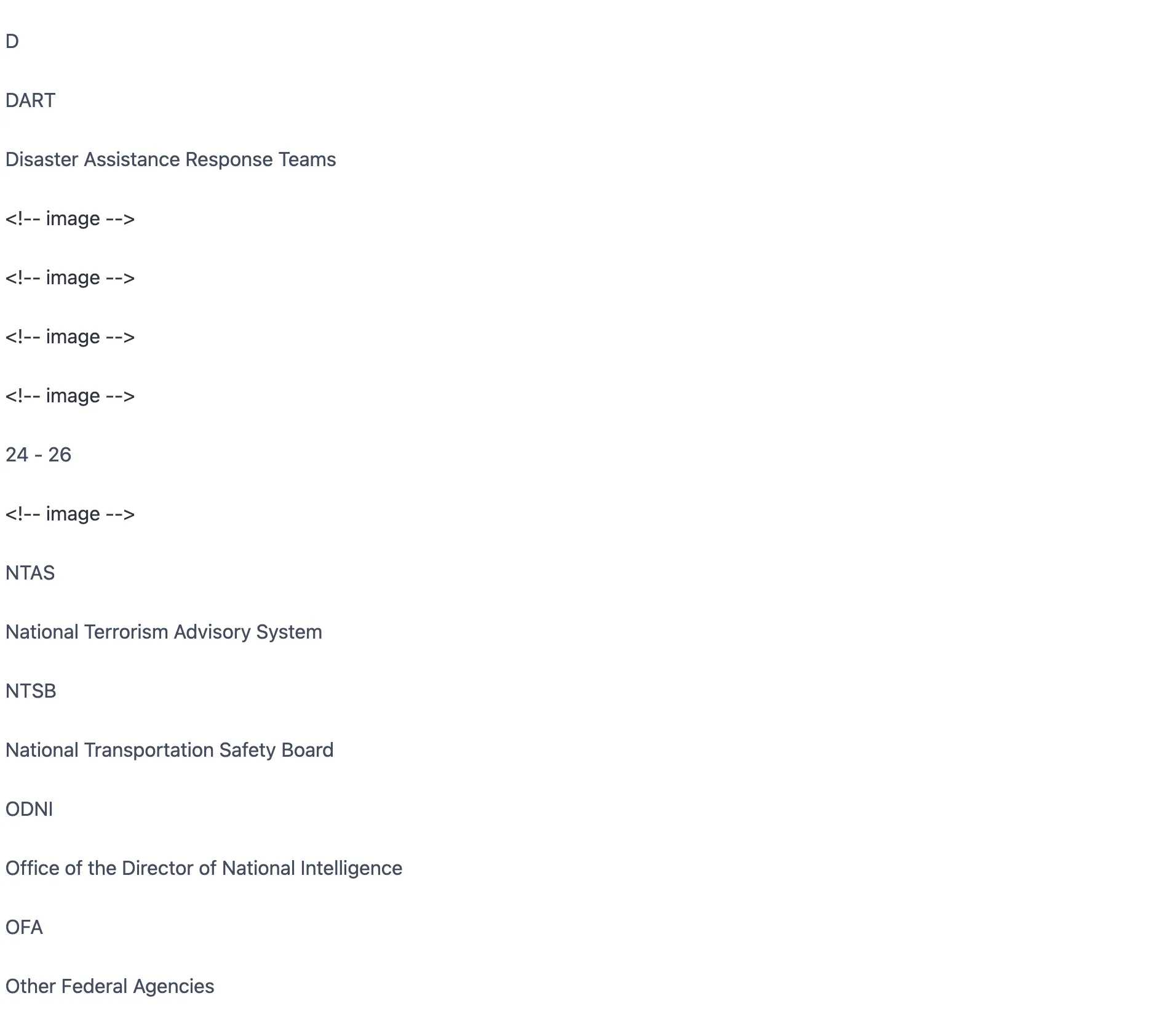
Chapter 3’s Personal Deployment Kit table? Gone. Replaced with <!-- image -->. The “Upon Arrival at the Incident” section with its 6 bullet points? Completely missing. Chapter 24’s acronym listings? Entire letter groups (D through N) are dropped, replaced by image placeholders.
The heading hierarchy is also flat. Every heading comes out as ## with level 1. I checked the JSON structured export hoping it would have depth information. It doesn’t. level: 1 for every section header, from chapter titles down to sub-subsections. The hoped-for workaround does not exist.
The glossary format is also harder to parse. pymupdf4llm preserves TERM - Definition with a dash separator. Docling drops the dash, outputting TERM Definition with no delimiter. For multi-word terms like “AREA COMMAND POST”, you can’t reliably tell where the term ends and the definition begins.
Verdict: Docling improves tables but introduces worse problems. The content loss alone is a dealbreaker.
Azure’s Layout model outputs markdown with HTML tables that have proper <th>, <td>, rowspan, and colspan attributes. It costs about $10 per 1,000 pages, which for a document you parse once (or once per edition), is negligible.
Here’s where Azure stood out.
The staffing matrix that pymupdf4llm garbles and Docling handles adequately? Azure gets it right with <th rowspan="2"> for the two-row header and <th colspan="5"> for the merged “Number of Divisions/Groups” cell. The “Preparing for Planning Meeting” row that pymupdf4llm misses? Captured. Zero table duplication.
One minor defect: a single-row “Initial Response” table got split into two rows. But across five tables in the chapter, that’s the only structural error.
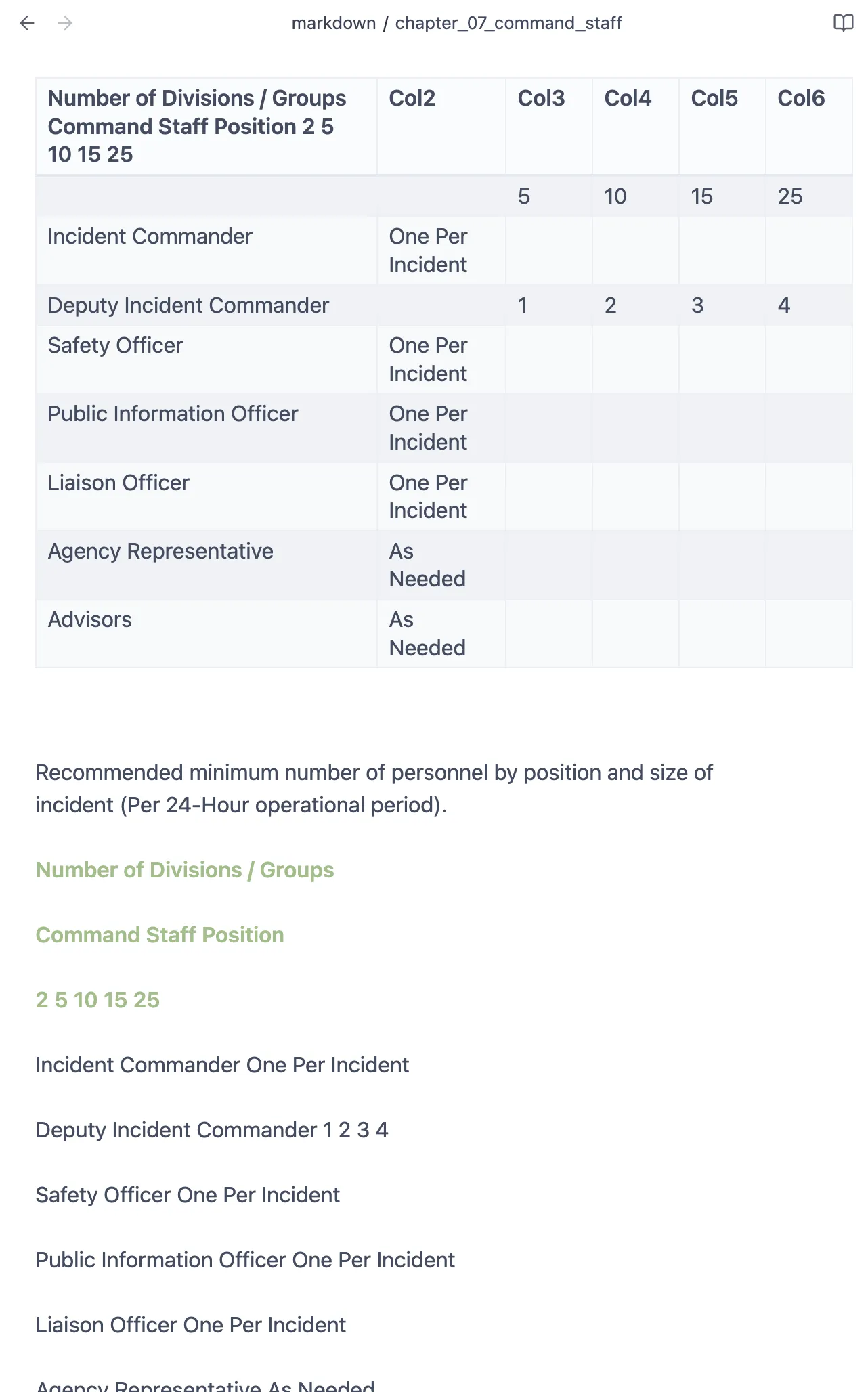
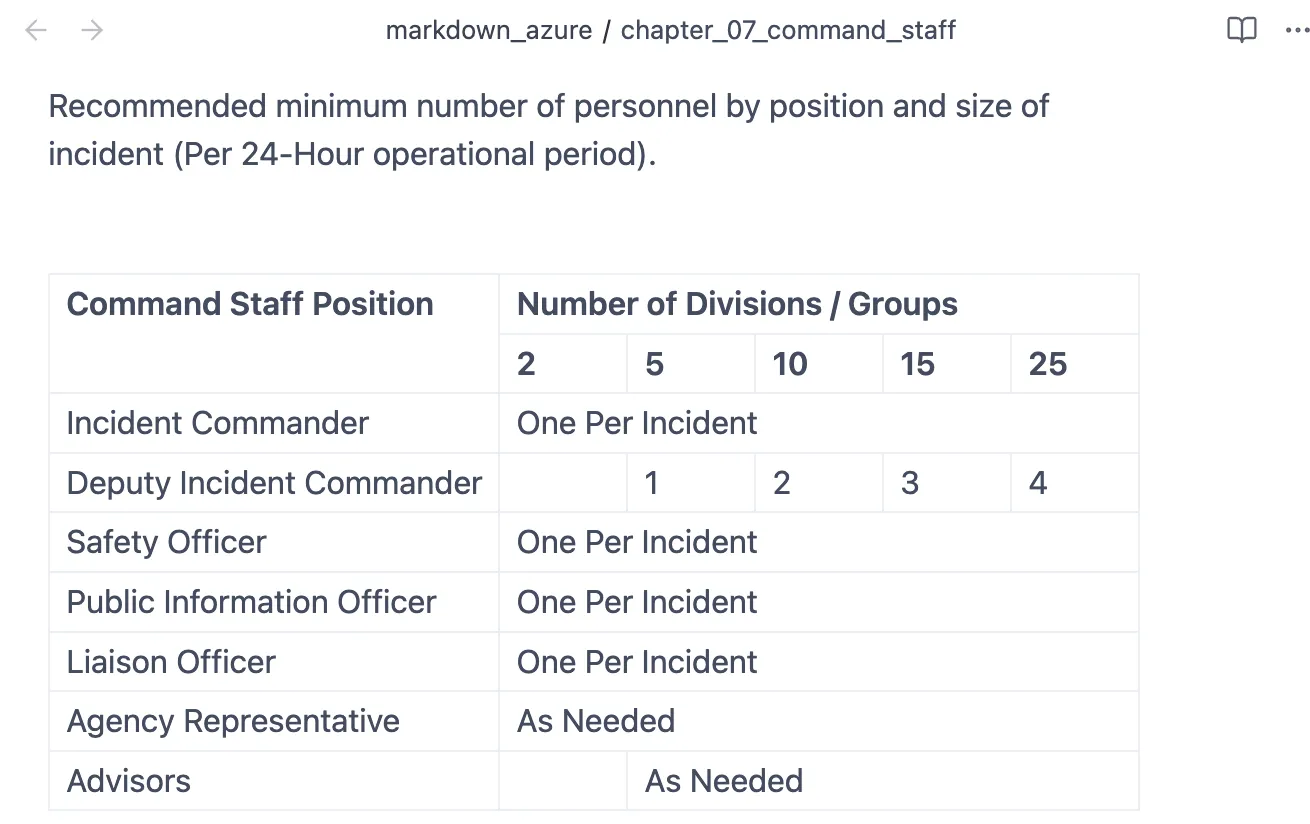
pymupdf4llm garbles text at page boundaries. Three lines in Chapter 7 come out as character soup:
pymupdf4llm: "...sanitation i t h lth d f t f i id t l"
Azure:       "...sanitation services to ensure health and safety of incident personnel."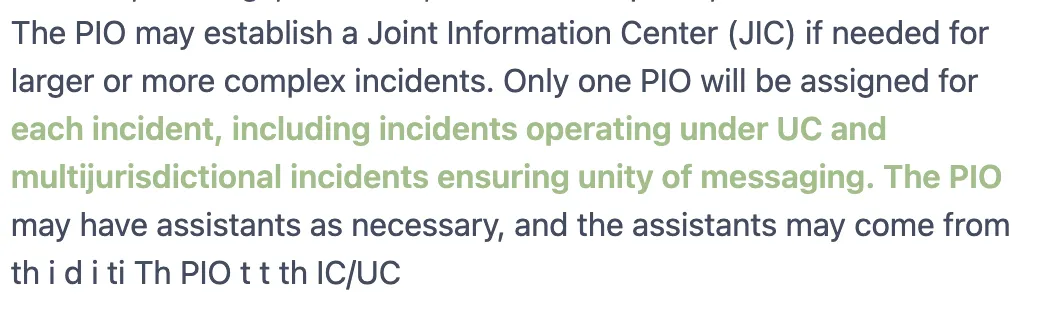
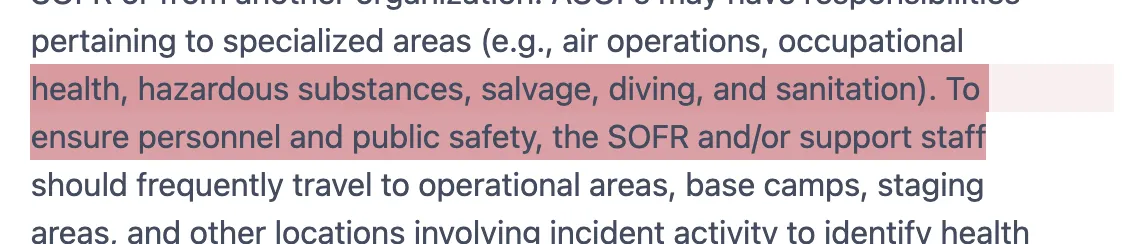
Azure recovers all three cleanly. It also correctly handles the Chapter 1 two-column callout box that pymupdf4llm permanently corrupts.
Azure captured everything. The Personal Deployment Kit that Docling dropped? Present as a clean sequential list. The “Upon Arrival” section? Complete. All 322 acronyms across all letter groups? Present in HTML tables. The glossary preserves the TERM - Definition format with the dash separator.
Azure also extracts text from inside figures. The org chart diagram that pymupdf4llm silently drops becomes a <figure> block with the position names OCR’d from the chart boxes. The demobilization process diagram includes the step descriptions extracted from inside the flowchart.
Azure isn’t perfect. The heading hierarchy, while better than Docling’s flat output, is inconsistent. Two section names got merged into one heading. Some position descriptions are ## while a peer position is ###. Running headers repeat at every page break (13 times in one chapter).
Bullet lists come through with checkbox artifacts (☐, O, D) instead of clean markdown markers. Lines are hard-wrapped at PDF column width instead of joined into paragraphs.
But here’s the thing: these are all solvable with simple cleaning rules.
The most telling metric isn’t which tool produces the cleanest raw output. It’s how much post-processing you need to get from raw extraction to usable structured content.
With pymupdf4llm, I wrote ~900 lines of cleaning code: colormap extraction, heading promotion/demotion based on font colors, table prose deduplication, column merge detection, paragraph deduplication, bracket artifact stripping, bold marker rejoining, and more. Some of these problems (two-column garbling, truncated text) are unfixable because the corruption happens during extraction.
With Azure, the cleaning pipeline would be about 200 lines:
That’s a 4-5x reduction in cleaning complexity, and it fixes content accuracy problems that no amount of pymupdf4llm post-processing can address.
pymupdf4llm is the right choice when you’re processing PDFs repeatedly, need zero cloud dependency, and can invest in a cleaning pipeline. It’s fast, free, and deterministic. If your PDFs are simple (single column, minimal tables, no complex layouts), the cleaning effort is manageable.
Azure Document Intelligence is the right choice when content accuracy matters more than cost, and you’re processing documents infrequently. For a handbook that gets updated once a year, paying $4 per run to get cleaner extraction with a fraction of the cleaning code is an easy trade.
Docling is promising for table-heavy documents where you can tolerate some content loss and flat heading hierarchy. But for reference documents where completeness matters, the silent content dropping is disqualifying.
Skip Marker (GPL, GPU), MinerU (AGPL, incomplete), Unstructured (no markdown), and PDF-Extract-Kit (not end-to-end) unless your constraints specifically match their strengths.
For my project, Azure wins. The handbook gets updated roughly once per edition cycle. Running the extraction costs about $4 and takes a few minutes. The cleaning pipeline shrinks from 900 lines to 200. And the output is more accurate for the content types that matter most: tables with merged headers, glossary terms, acronyms, and two-column layouts.
The 900-line cleaning pipeline I built for pymupdf4llm works. It shipped a product that the client called “fantastic.” But if I were starting over, I’d start with Azure and write 200 lines of cleaning instead of 900.
Sometimes the best engineering decision is paying $4 to delete 700 lines of code.